A calendar that tells the truth
Pros block out their own days, write in appointments they took elsewhere, and pick the times they like to start. You only ever see what is genuinely free, so a booking is a booking.
Braids, nails, locs, lashes, barbing, makeup and skin, booked from a calendar that is genuinely free.
Vetted prosFree to useNo App Store download
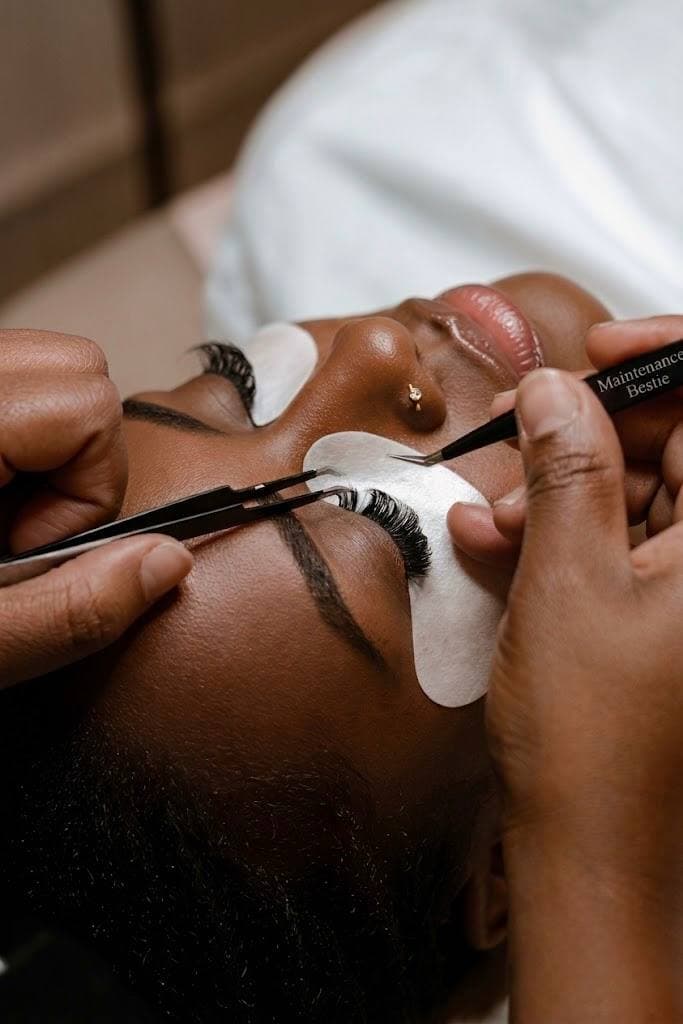
Volume lashes, by someone who is actually free.
Only real openings
Every slot you can tap is one the pro has left open in their own diary today.
Their menu, their words
Pros write their own service list, so you can search for the thing you actually want.
It stays in the app
Chat, payment and the record of what was agreed all live in one thread.
Nothing to download
It installs from this page in a second. No store listing, no updates to chase.
Headings only. Each pro writes her own menu, so searching for the exact thing tends to find it.
Not a directory. Every one of these happens after you have booked.
Pros block out their own days, write in appointments they took elsewhere, and pick the times they like to start. You only ever see what is genuinely free, so a booking is a booking.
Book a slot for more than one person. Everyone gets their own link to confirm and pay their share, and if somebody drops out the slot quietly shrinks back to fit.
Home visits track your pro to the door. For an in-shop appointment you get the address, directions and a nudge when it is time to set off.
Ask about length, prep or parking without giving out your number. Phone numbers and links are blocked in chat, which is what keeps the deposit and the record worth anything.
Every pro has a portfolio and a reel. Watch the style you want being done before you decide who does yours.
Identity checked, portfolio reviewed, and a badge on the profile that says which. Reviews land after the appointment, from people who actually turned up.
Say what you need and let the pros come to you. Asking costs nothing.
Knotless braids, waist length
Today from 2pmWithin 8 km
3 offers so far
Nobody suits? It expires on its own and costs nothing.

Saturday
Most booking apps show you a grid and hope. This one shows you the pro's actual diary. They close days they are away, write in the client who booked them over the phone, and choose the times they like to start. What is left is what you can have.
No double bookings. A slot leaves the calendar the moment somebody takes it.
No phone tag. You are not asking whether Saturday is free. You can see that it is.
No held slots you did not pay for. Checkout holds it for 15 minutes, then it goes back to everybody else.
Find the thing you want
Search a service, a pro, or an area. Filter by what fits: in shop or at home, a day that works, the styles you keep saving.
Take a slot that is really free
Pick from the pro's live calendar and confirm. The price you see is the one they set, and the slot is held the moment you pay.
Turn up and enjoy it
Reminders, directions, rescheduling and the chat thread all sit in one place. Leave a review afterwards so the next person books well too.
One slot for the whole group. Everyone gets their own link to pay their share, and if somebody drops out the slot shrinks to fit.
For a bridal party or a shoot, one plan can hold several pros back to back.
Saturday, 11:00 am
Bridal hair and makeup, 3 people
Everyone pays their own share.
Publish what you offer, in your words, at your prices. Bookings, reminders and payouts run themselves.
Keep more of it
We charge when we bring you someone new: 15%, or 12% on a paid plan. When she comes back, it drops to 3%, and on a paid plan to nothing at all. Your regulars are yours.
Your diary, your rules
Set your hours, close a day, write in the client who booked you by phone, and name the times you like to start. Nobody can take a slot you have not opened.
Run a team
Add your stylists on Elite. They get their own login and see only the appointments you assign them, not your takings and not each other's diaries.
Fill a quiet afternoon
Bestie Now puts short notice work in front of you. Answer the ones that suit, ignore the rest. Being passed over costs you nothing.
How are pros vetted?
Identity documents and a portfolio review, plus proof of training where it applies. The profile shows which checks a pro has passed, and reviews after every booking keep it honest.
Who sets the prices?
The pro does. They write their own service list and price it themselves, and the figure on the profile is the figure you pay. We never mark it up.
When do I pay?
At checkout, which is what holds the slot. You have a 15 minute window to finish, and until you do, nothing is reserved and nobody is told.
Can I move or cancel an appointment?
Yes. Each pro sets a free cancellation window and it is shown before you book and again on the booking itself. Cancel inside it and you are refunded.
Is a home visit safe?
Addresses are verified on both sides, the visit is logged, and you can follow your pro on the way. Your address is never shared with anyone you have not booked.
Do I need to install anything?
No. It runs in your browser, and adding it to your home screen takes one tap from this page. There is no App Store download and nothing to update.
Installs straight from this page. No App Store, nothing to update, no subscription.
Chrome or Edge
Safari on a Mac